
Ask before choosing.
The inquiry form captures the question, leads to an inquiry thank-you page, and starts a team follow-up. The visitor can book separately when ready.
Question→Inquiry form→Team review→Optional booking
GoHighLevel process case
A beauty booking journey connecting service discovery, inquiry, paid appointments, calendar scheduling, and follow-up inside GoHighLevel.
01 / Problem
A visitor should know what to choose, when they can visit, and what happens after they act.
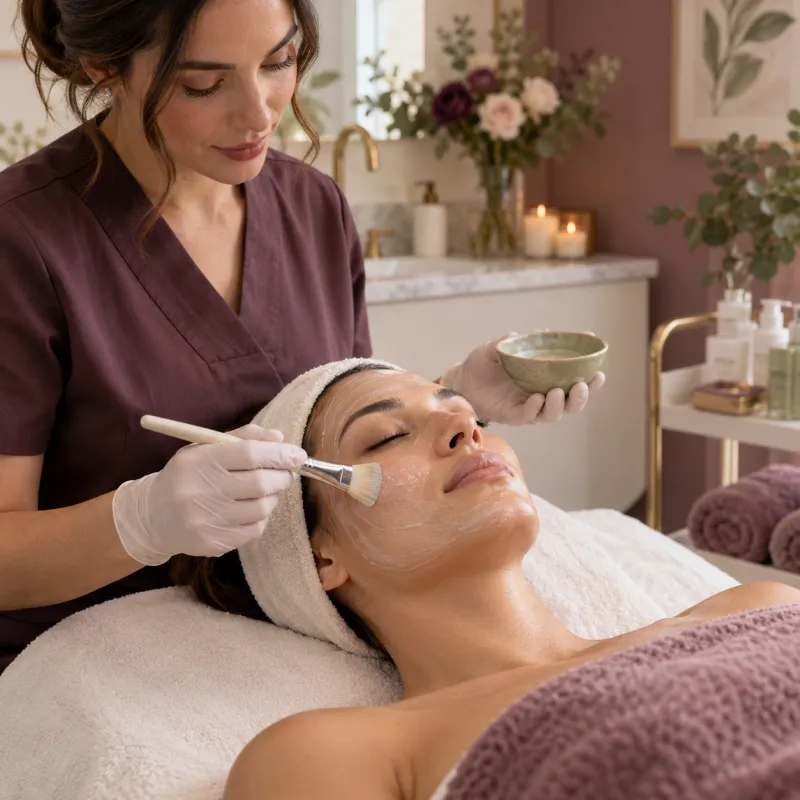
The page needed to present hair, nails, skin, brows, and lashes clearly while keeping questions separate from actual paid bookings. Behind the page, inquiries and appointments needed distinct next steps.
Pair each treatment with its own image, description, price in USD, and appointment length.
A question should reach the team without implying that a time is reserved.
Visitors choosing a service should see available times and complete the paid booking flow.
Reschedules, cancellations, no-shows, and return visits need a consistent follow-up path.
02 / Solution
The visitor can ask the team for help or go directly to a service and available time. Only the paid booking path reserves an appointment.
The inquiry form captures the question, leads to an inquiry thank-you page, and starts a team follow-up. The visitor can book separately when ready.
The client selects a beauty service and available time, completes checkout, and receives booking details and reminders for the visit.
The appointment lifecycle
Browse service cards, prices, durations, and the team.
Select a service and an available appointment time.
Complete checkout; receive booking confirmation and visit details.
Receive reminders and review any guidance in the confirmation.
The appointment is marked Showed, Rescheduled, Canceled, or No Show as appropriate.
After a visit, send a return invitation at a general interval; a new booking has its own checkout.
Cancellations and no-shows route to team review of the paid transaction and the policy shown at checkout. The page does not promise an automatic refund or free replacement visit.
03 / Build
The visitor-facing funnel sits on top of service scheduling, CRM organization, and event-based follow-up.
A responsive page with service photography, clear USD prices, a team section, and distinct booking and inquiry actions.
Service durations, staff availability, booking times, and payment at checkout connect the selected service to the reserved visit.
Separate contact paths help the team see whether someone asked a question, booked, changed their appointment, or missed a visit.
Event-based messages keep the client informed while leaving payment exceptions and policy decisions with the team.
04 / Quality checks
A useful test uses separate test contacts for inquiry, successful paid booking, changes, and attendance outcomes. The checks below describe the validation path, without claiming performance results.
Check that its price and duration match the booking page.
Verify availability and time zone display.
Confirm payment success before directing the client to the booking thank-you page.
Check contact, opportunity, payment, and appointment records.
Check confirmation, reminders, internal alerts, and stop conditions.
Check reschedule, cancellation, Showed, and No Show routes separately.
05 / Walkthrough
The live page presents the beauty services. The system map below shows how inquiry and paid booking events lead to different next steps.
Browse the service imagery and team, then follow either the inquiry link or booking calendar.
View live page ↗Compare the inquiry route with the paid appointment route, including booking changes and follow-up.
Explore the flow ↓A contact and inquiry enter the CRM; the team receives the question.
The visitor sees the inquiry thank-you page and receives an acknowledgment.
Service, staff, time, checkout, and confirmation connect to the calendar.
Reminders keep the confirmed client informed before the appointment.
Staff update the appointment; cancellation and no-show payments receive policy review.
A completed visit can lead to a later invitation with a new checkout.
06 / Result
The Blush & Bloom build brings the service page, inquiry form, paid booking calendar, thank-you pages, CRM stages, and follow-up communications into a single process. A visitor can ask a question or reserve a visit; the team can see which action happened and what needs attention next.
I build GoHighLevel pages, calendars, CRM paths, and follow-up workflows that make the next action clear to clients and staff.
Discuss a GHL build ↗